Run your business your way
Less chaos, more clarity. Start with 2 months free — then $10 per user / month on a 12-month plan. Events, crew, inventory, and quotes in one workflow.
See AVGrid in action
One job, start to finish — quote, crew, warehouse, and the invoice that sends itself. In 60 seconds.
Want more? Watch the full demo, the step-by-step tutorial, and short clips of every feature or subscribe on YouTube.
Latest clips
How it works
From enquiry to payday, one connected workflow.
Quote it
Build a quote, send it, and let the customer accept online. One click converts it to a sales order and event.
Book crew & gear
Offer positions to crew by skill and availability, and lease equipment against the event — no double-booking.
Deliver & get paid
Warehouse scans gear out and back, crew see their jobs in the app, and invoicing flows through to your GL.
Why AVGrid?
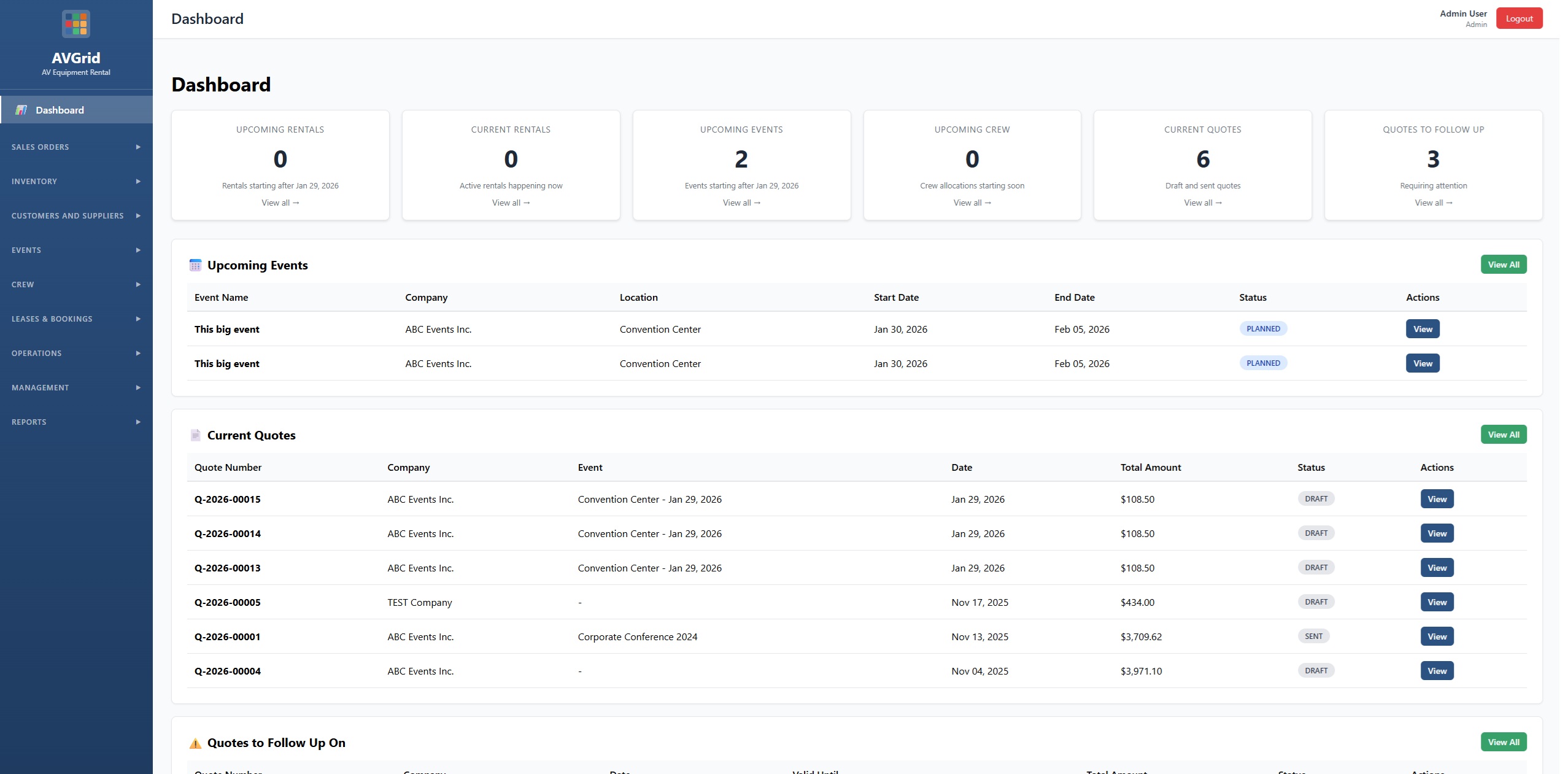
One platform to manage events, crew, equipment, and quotes. See your whole operation at a glance.
Events & bookings
Create events, attach quotes and sales orders, and track status.
Crew allocations & offers
Define positions, offer them to crew, and send booking requests with accept/decline links.
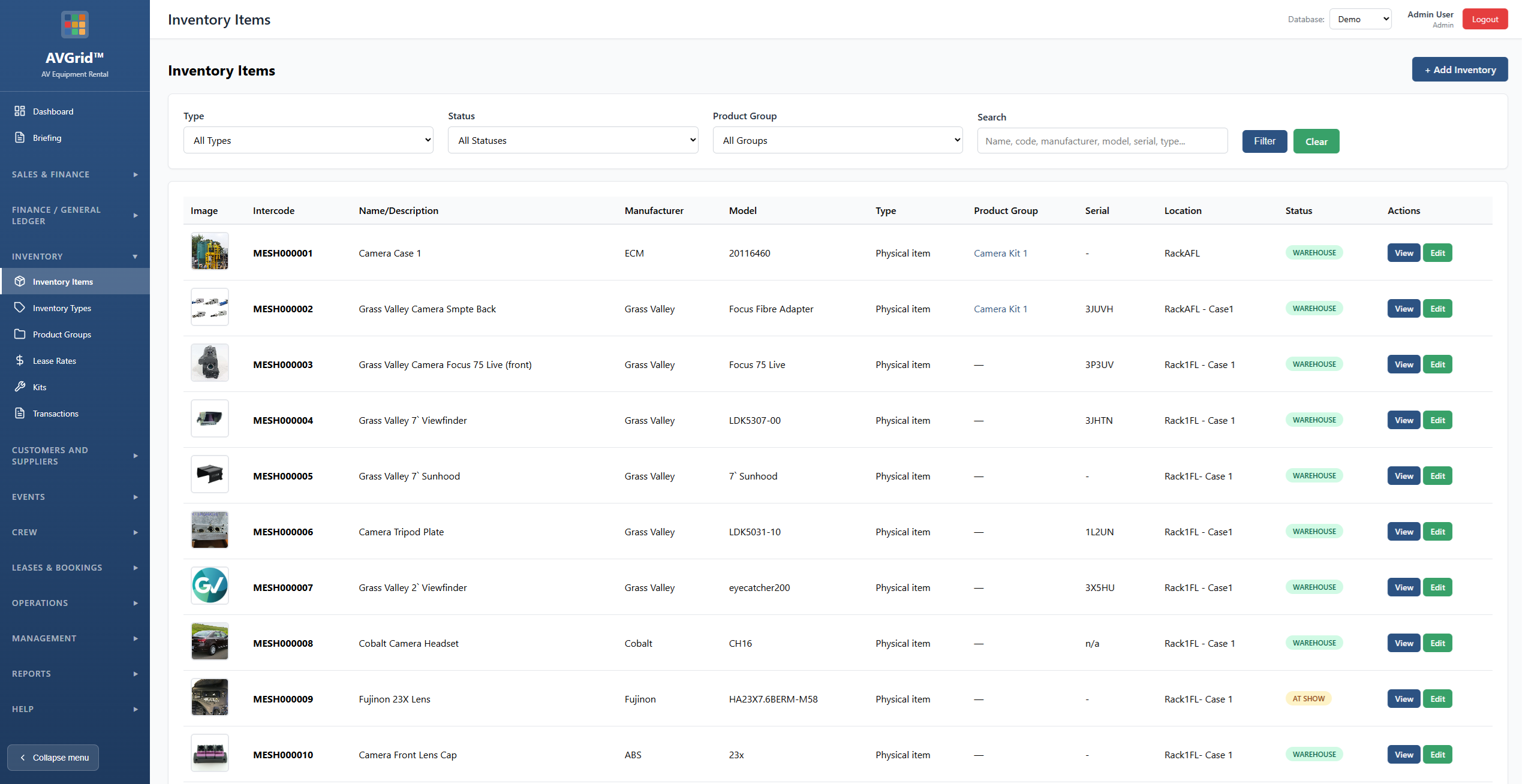
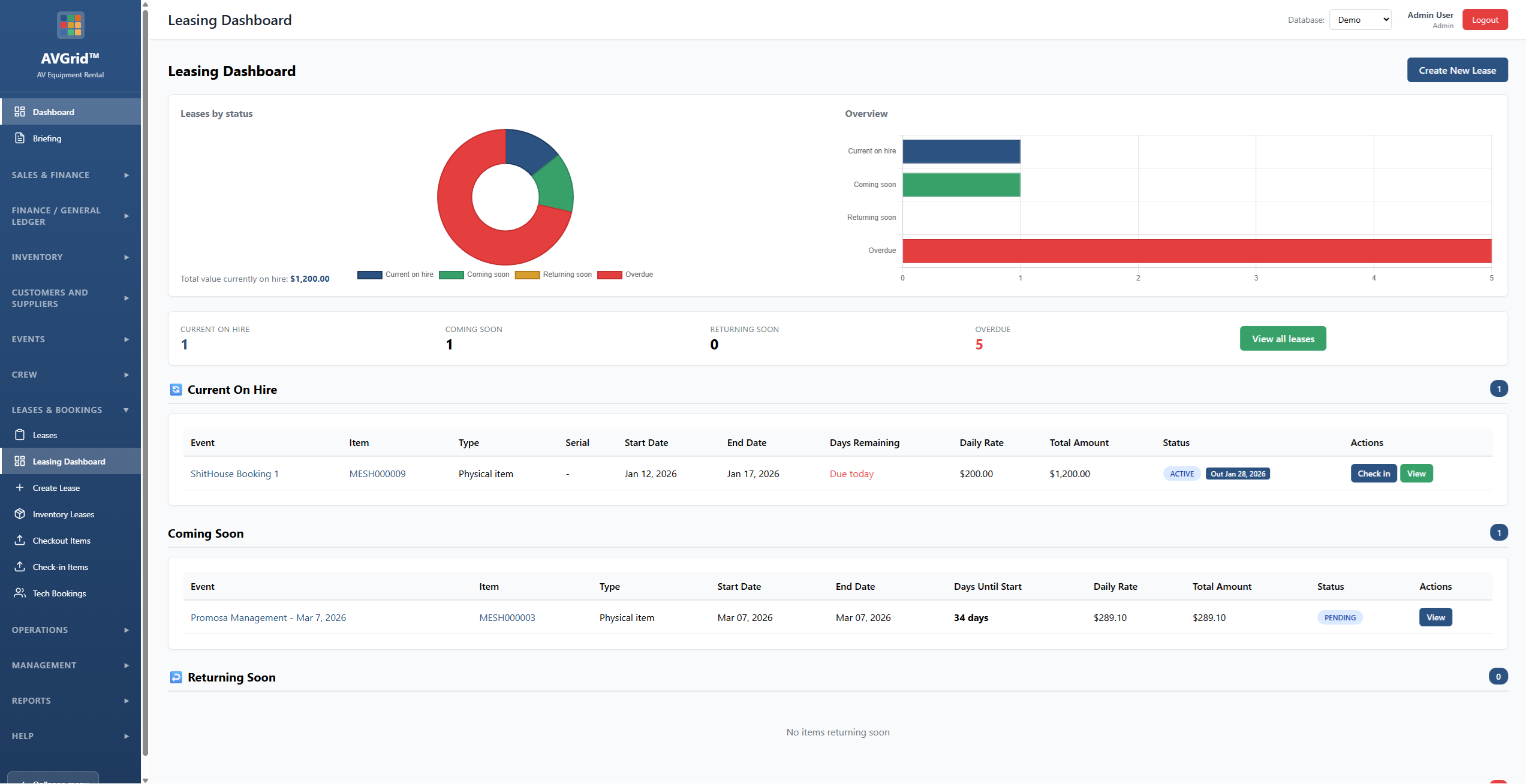
Inventory & leases
Manage equipment, kits, checkout/check-in, and link leases to events.
Quotes & sales
Build quotes, convert to sales orders, and connect to events and crew.
Dashboard & reporting
Overview of upcoming rentals, events, crew, quotes to follow up, cash flow, and recent activity.
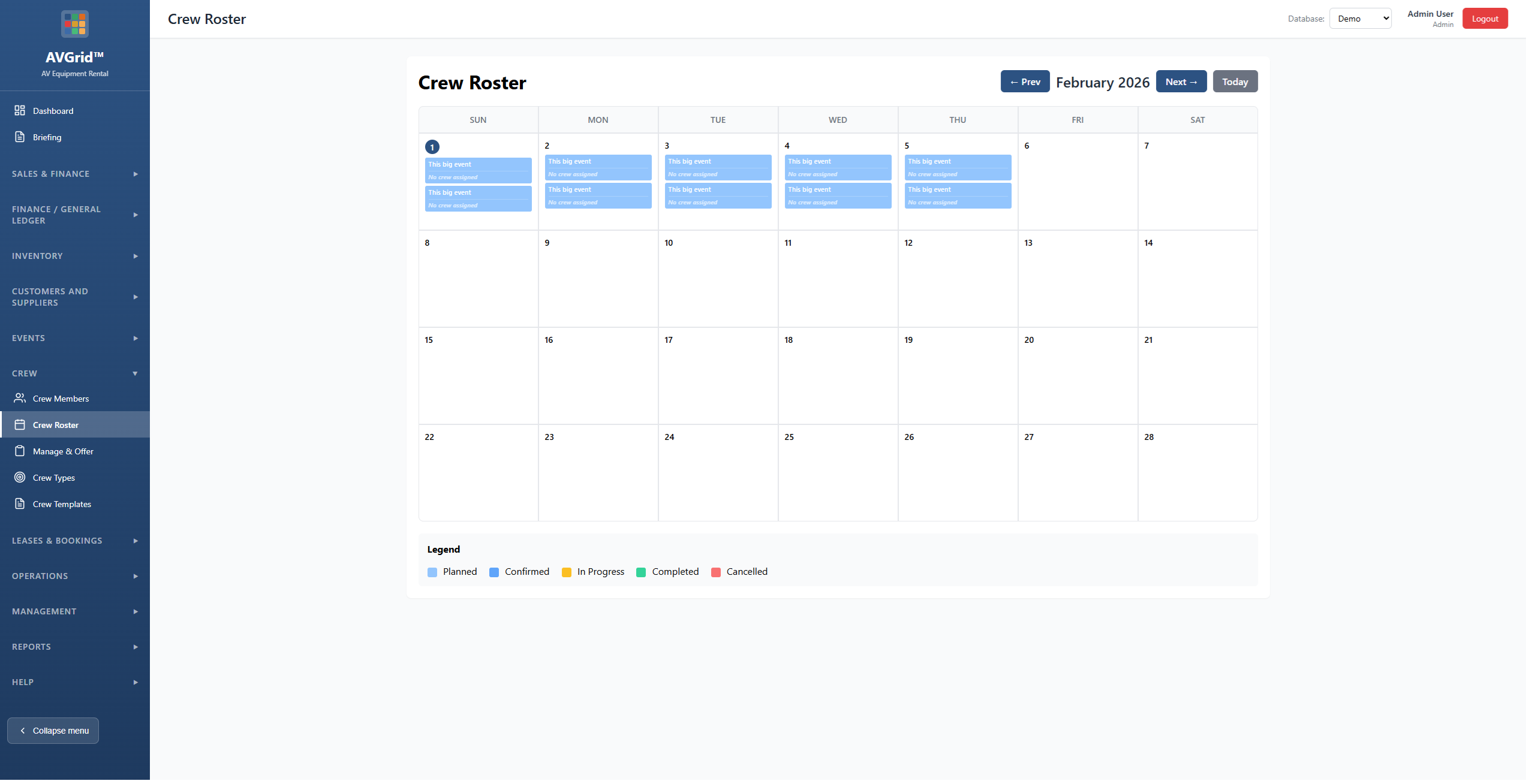
Calendar view
See events and crew in a calendar. Plan ahead and avoid double-booking.
Accept online
Customers accept or decline quotes via a link. Crew accept or decline bookings by email—no login required.
Skill sets & blank-out days
Assign skills to techs and crew. Let them blank out unavailable days so you only offer work when they’re free.
Travel & team
Track travel and freight linked to crew and events. Manage your team, rates, and templates in one place.
Apps for your whole team
Manage everything from the web, and give your team purpose-built iOS apps for the field and the warehouse. Field crew use the Crew app free — you only pay for web users.
Crew app
iOS · free for field crew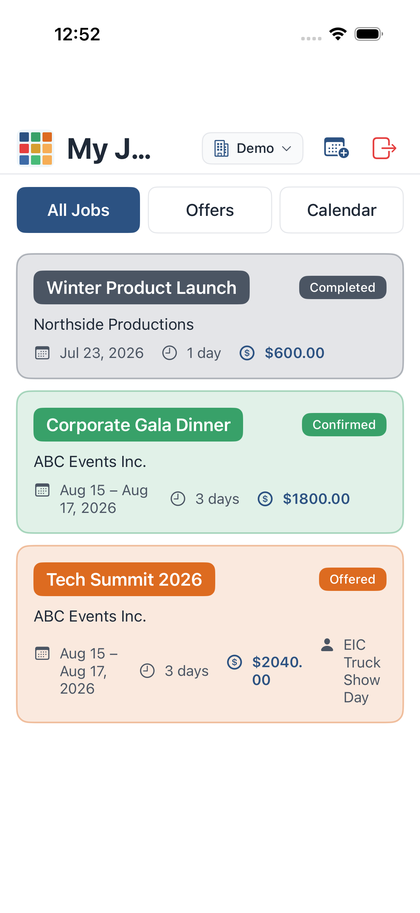
- See and accept or decline job offers
- Sync accepted jobs to their calendar
- Set availability and blank-out days
- Profile, skills, day rate & earnings
- Tap to call, email, or map the venue
Warehouse app
iOS · for warehouse staff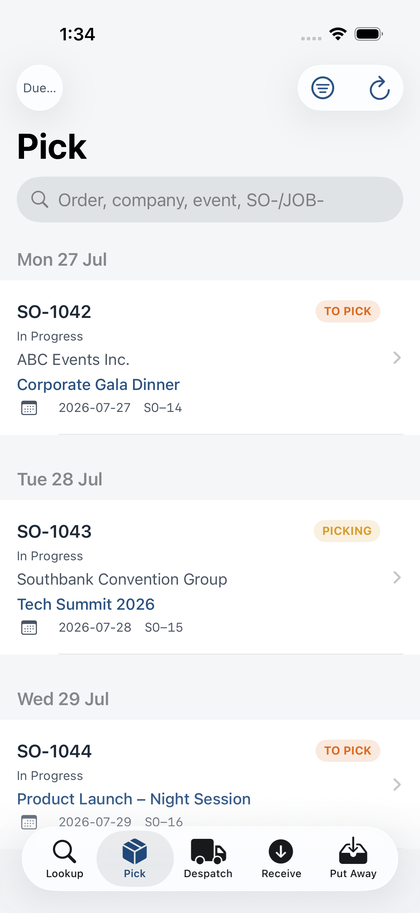
- Scan barcodes to pick sales order lines
- Check equipment out and back in
- Live pick progress per order
- Works against your live inventory
- Built for fast handheld scanning
Help & How-To Guides
Step-by-step guides and demos for using AVGrid. No login required to view guides.
How-To Guide
All topics – Dashboard, Quotes, Inventory, Events, Crew
Dashboard
Overview, navigation, and home screen
Quotes & Sales
Creating quotes and sales orders
Inventory
Equipment, types, groups, transactions
Events
Events, inventory, crew, Event Book, travel
Crew
Crew, allocations, offers, roster
Ready to run your next event on AVGrid?
Two months free, no card required to start. Field crew use the Crew app free — you only pay for web users.